



















Odio el Chocolate - Baldi's Basics Horror Mod | Play Free in Browser
Odio el chocolate is a Baldi's Basics horror mod by Wantho, built in Unity and released on the developer's own birthday in October 2026. The title means “I hate chocolate”, and the premise turns that complaint into a task: you are dropped into a pastel school, you have to collect chocolates, and you have to leave. Main Mode asks for 13 chocolates and out. The browser player above streams the original Unity web build straight into the page — no download, no install, no signup, no account.
Press Play, let the Unity loader run, and give the build a minute. The first load is the heaviest part: the whole school has to stream in before you can walk a corridor. After that it is a first-person hunt through long pastel hallways, with a stamina bar that limits how long you can sprint and a three-slot inventory for the things you find on the way.
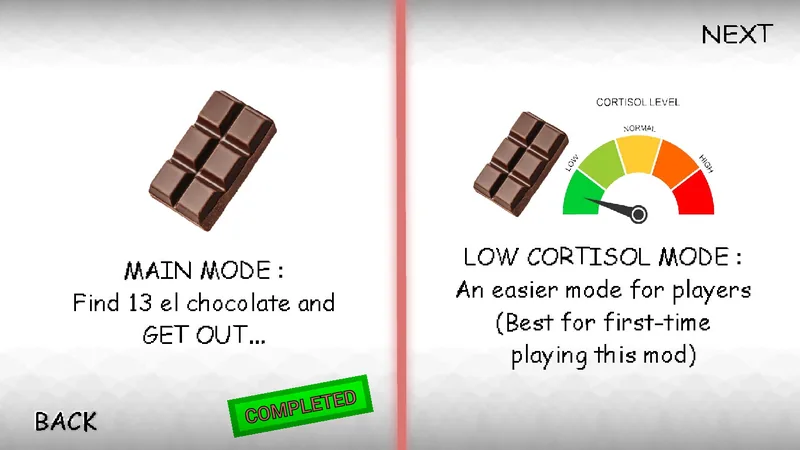
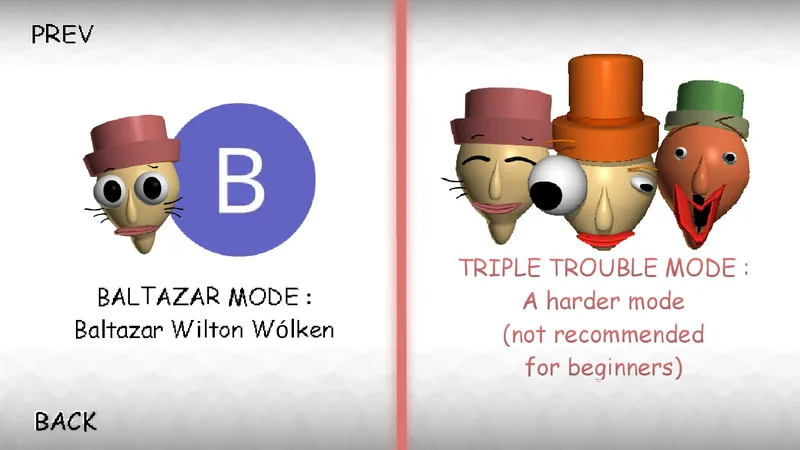
The mode menu is the honest guide to how the difficulty scales. Main Mode is the core run. Low Cortisol Mode is described in-game as “an easier mode for players, best for first-time playing this mod” — the recommended starting point. Baltazar Mode gets its own card, its own character and its own counter, and Triple Trouble Mode is explicitly labelled “a harder mode, not recommended for beginners”. Only Main Mode's card states a number; the HUD screenshots for the other modes show a different counter running to three, so read the card before you start counting.
What Odio el chocolate Feels Like
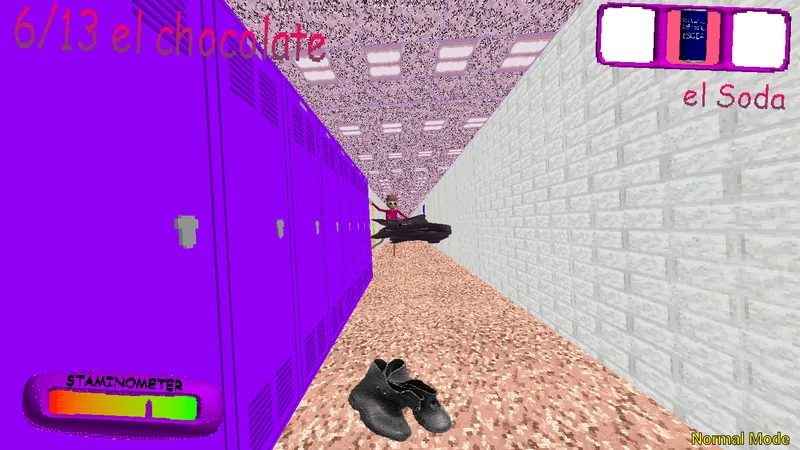
The look is the first thing that hits you: flat meme artwork, oversized faces, walls in cheerful pinks and purples, white brick, a speckled ceiling, a purple locker. It is styled like an internet joke that got very committed to production. The tension comes from the mismatch — a school that looks like a sticker, lit like a pastel dream, and then it is not, and you are the one holding the wrong turn. The itch.io tags say it plainly: atmospheric, difficult, meme, weird.
How To Play Odio el chocolate
This is a keyboard-and-mouse game. There is no touch layout and the browser build does not pretend otherwise. Click inside the frame once so the game has keyboard focus, otherwise your movement keys scroll the page instead of moving you. Sprinting burns stamina, and an empty stamina bar in a chased corridor is how most first runs end.
Press Play and let the Unity web build load. The first load streams the whole school and takes a while; later loads are faster.
WASD to move, Mouse to look around. Left click opens doors and picks up chocolates. Click once inside the frame first, or the page scrolls instead of the character moving.
Left Shift sprints while the stamina bar lasts. Watch the bar before you commit to a long corridor — running dry mid-route is the most common way a run falls apart.
1, 2 and 3 select an inventory slot, Right click uses the selected item, and Escape releases the pointer or pauses.
Odio el Chocolate - The Cast
El Chocolate
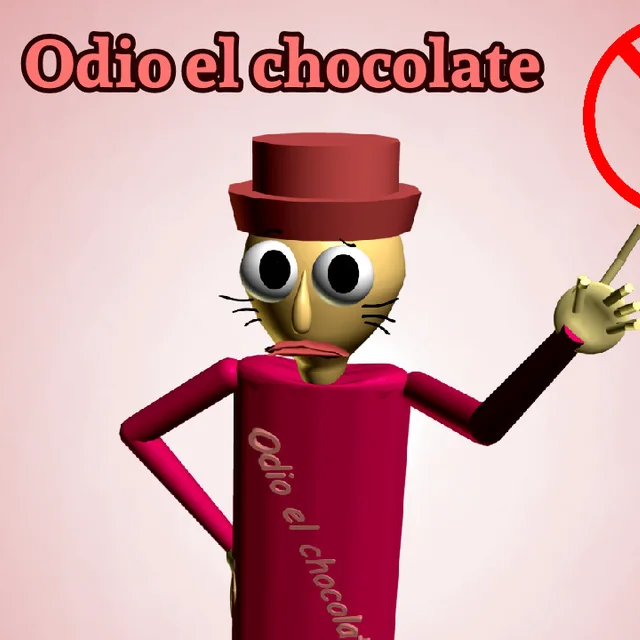
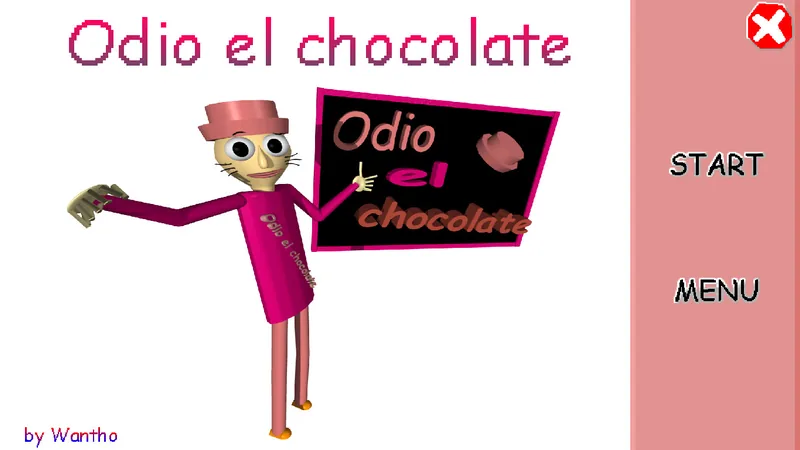
The chocolate-bar figure in the pink suit and red top hat. He walks the corridors, the HUD carries a bar labelled STAMINA HUNTER for him, and he is also the one who signs the title screen — the mascot and the monster are the same character.
Baltazar
Baltazar Wilton Wölken is the name on his own mode card, with a head that carries a blue B. Triple Trouble puts several of them in the corridor with you at once.
El Soda
The named items that show up on the HUD as you search the rooms: el Soda, el Tired, and an empty slot that reads el poor. Three inventory slots, selected with 1, 2 and 3.
The School
Pastel corridors, white brick walls, purple lockers, a speckled ceiling and a pink floor. The school is the real antagonist and it never gives you the same route twice.
What You Choose In Odio el chocolate
There is no branching dialogue in Odio el chocolate. The decisions are spatial: which corridor, which door, when to sprint and when to walk. Every room you enter is a room you may have to find again, and the school never labels its exits. The choice that matters is the one at the junction — commit to the wrong hallway and the map you memorised stops being useful.
[01] Main Mode: 13 Chocolates
The core objective, written on the mode card: find 13 chocolates and get out. The counter in the top-left of the HUD tracks every one you collect.
[02] Low Cortisol Mode
The game's own recommendation for a first-time player — an easier mode for players. Start here before you let the school bite.
[03] Baltazar Mode
Its own mode card, its own character and its own counter. The Baltazar run does not use Main Mode's 13-chocolate target.
[04] Triple Trouble Mode
Labelled a harder mode and explicitly not recommended for beginners. Three of them in the corridor at once, and a much tighter margin.
[05] Stamina Meter
Sprinting drains the stamina bar, and the HUD carries a matching bar for the thing chasing you. Route planning and speed are the same skill in this school.
[06] Three-Slot Inventory
Pick things up as you search the rooms. Select a slot with 1, 2 or 3 and use it with right click.
Odio el Chocolate - Screenshots
All screenshots below come straight from the playable build. This is what the game actually looks like when it loads in the browser player above.
Why Odio el Chocolate Works in the Browser
Baldi's Basics Horror Mod is a good fit for the browser. No installer, no platform checks, no waiting for a launcher to update. You press Play and the page streams the original build right into the embedded frame.
Four Modes
Main, Low Cortisol, Baltazar and Triple Trouble. The menu tells you which one is the gentle one and which one it does not recommend to beginners.
13 Chocolates
Main Mode's stated objective, tracked live on the HUD counter. The other modes run a different count.
Stamina Sprint
A stamina bar governs how long you can sprint, so the fastest route is not always the survivable one.
Real First-Person
Mouse look, doors you open, classrooms you search, corridors you have to remember on the way back out.
No Download
Press Play. The Unity web build streams into the page. No installer, no signup, no account.
Original Is Wantho's
The game is Wantho's own work, released as a Windows mod and an Android build. This portal hosts a browser copy so you can try it without a download.
Tips Before You Start
Give Odio el chocolate a clean browser tab and a keyboard. The first load is heavy; a tab full of other streams will make it heavier. Click inside the frame before you press anything, or your movement keys will scroll the page and you will think the controls are broken. Headphones help — the audio cue is part of the information. The mod is tagged for jump scares and an unsettling atmosphere, so if one lands and it stops being fun, stop. It is a fan mod, not a test of endurance.
On the mechanics side: map the school on a first run instead of trying to be fast. Note which junctions you turned at, keep an eye on the stamina bar rather than the chocolate counter, and check the HUD before you pick an item up so you are not using a soda where you meant to use something else. When a run collapses, it is almost always because a sprint started too early in a corridor that turned out to be longer than it looked. One extra look at a junction is cheaper than restarting a run you rushed.
A Fan-Built Browser Portal For Odio el Chocolate
This is a fan-built browser portal for Odio el chocolate, made to keep the mod easy to launch, easy to revisit and easy to share. The page focuses on the browser player, real in-game screenshots, the four modes explained, and practical troubleshooting. It is not trying to replace Wantho's game — the game is the point, and the player at the top of the page is the way in.
If you like Baldi's Basics mods and the specific flavour of a school corridor that is trying very hard to be funny while you are not laughing, Odio el chocolate is worth a run. Start on Low Cortisol if you want to learn the building, and move to Main Mode when the corridors stop feeling like a maze. And if all you want is the quickest way in, the player at the top of the page is it: press play, wait for the school to load, and find your first chocolate.
Player Notes
0